Built for UK accounting practices
Compliance, in command.
The command centre for the modern accounting practice — with AI that explains its reasoning, and nothing filed or applied without you.
No card required to see it. We will show you your own client data if you want us to.
What Compliance Cockpit does
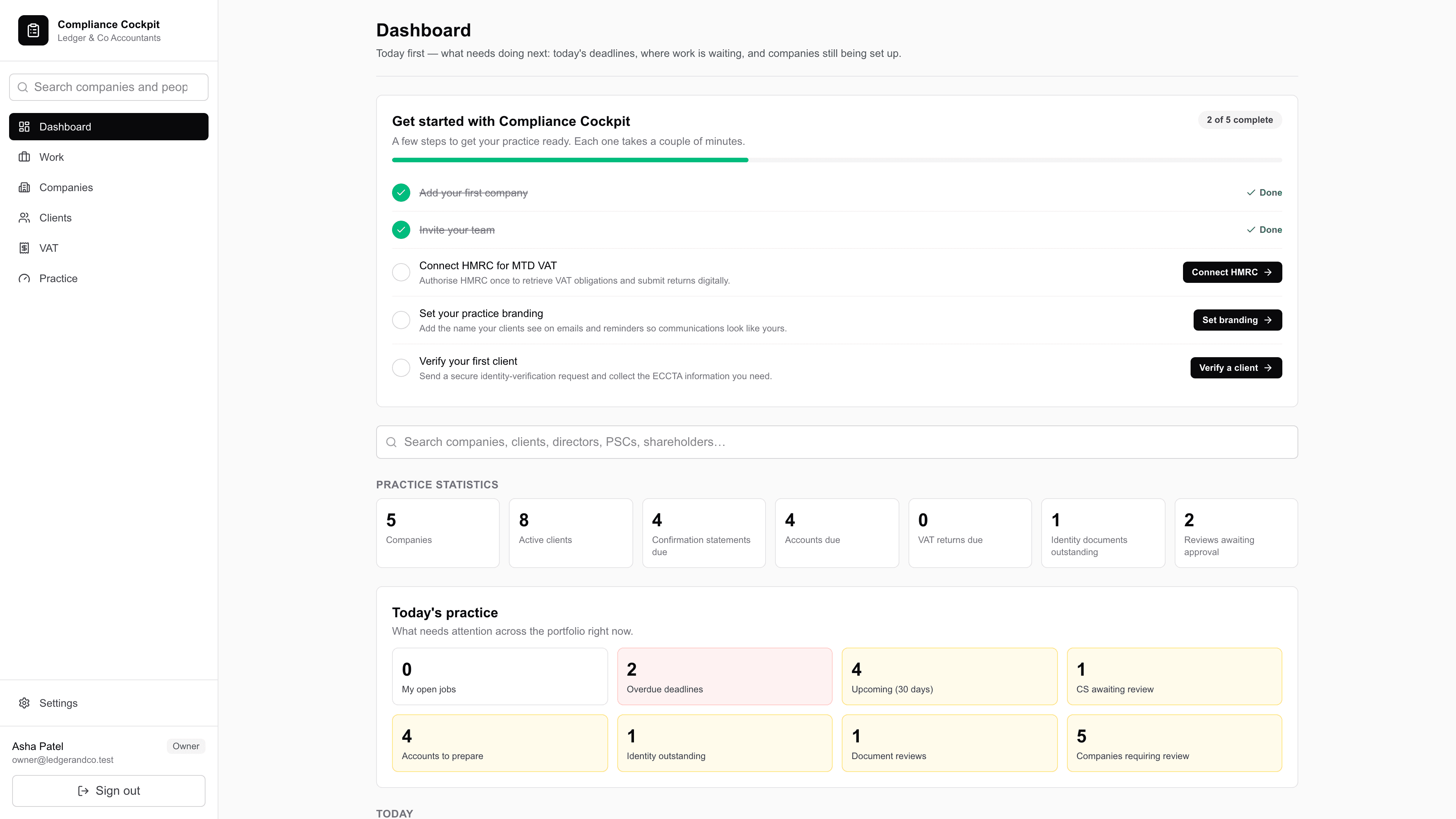
See everything
Every client, deadline and document, graded and prioritised, on one screen. The morning question — what actually needs me today — has an answer before you open a spreadsheet.
Understand the hard stuff
Ownership reconstructed from Companies House filings, with a reason behind every figure. Not a number to trust: a number to check.
Stay in control
The engine recommends and flags. Your team reviews and approves. Nothing is filed, and no statutory register moves, without a person deciding it should.
Ownership Assurance
Finally understand who really owns what.
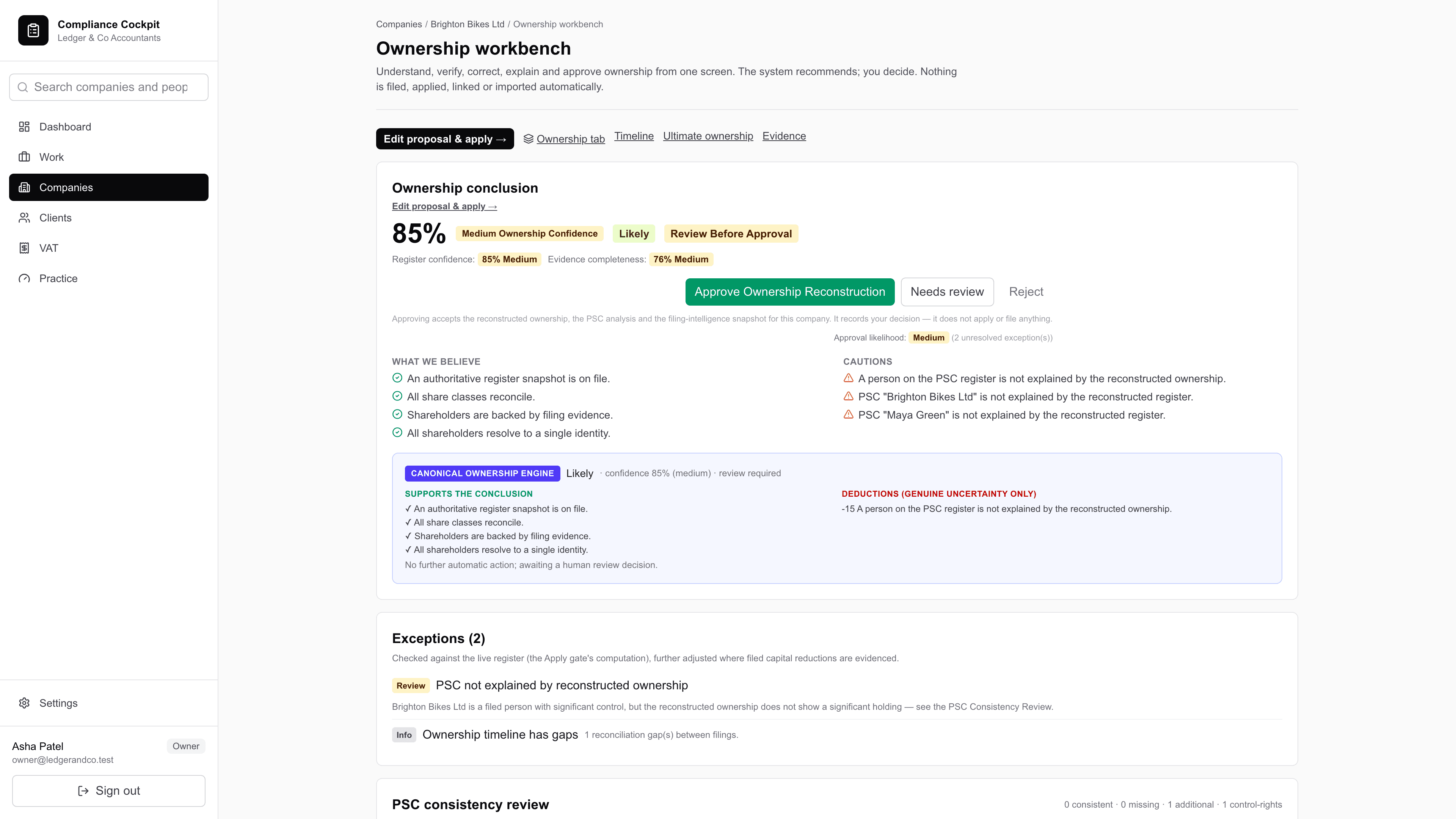
The Canonical Ownership engine reconstructs the share register from public filings — incorporation documents, allotments, transfers, confirmation statements — and states the reason behind every number. Where the filings disagree with each other, it says so rather than picking one.
- Every figure carries its evidence: which filing it came from, and what it said.
- Conflicts are surfaced, not resolved silently — an over-allocated class stops the workflow.
- PSC positions are reconciled against the register, so a wrong band is caught before it is filed.
- Nothing is written to a statutory register until somebody approves it.
Safety by design
The engine recommends. You decide.
Compliance Cockpit prepares filings for you to submit. It does not file on your behalf, and it will not move a statutory register on its own. When the numbers do not add up — an over-allocated register, a filing that contradicts another — it stops and asks.
That is not a limitation we are apologising for. It is the reason the output is defensible when a client, an auditor or a court asks where a figure came from.
One system
Everything a practice does with a company, in one place.
Replace the spreadsheets, the open Companies House tabs and the single-point tools with one system your whole practice works from.
Company Secretarial
Statutory registers with an as-at view, corporate actions that are validated before they are applied, and the minutes and resolutions that evidence them.
Practice Management
Portfolios, saved views, bulk actions, and a client-visibility wall so staff see the clients they should and no others.
Companies House
Live company data, prepared filings with the statutory deadline and the section it comes from, and a package ready for a person to submit.
Client Portal
Ask a client to read the actual paperwork and record that they did — with a check that the documents have not changed since they agreed.
Deadlines & workload
Every obligation across the portfolio, graded and prioritised, with a view of who is carrying too much.
Advisory reporting
Corporate-records health checks that turn compliance work into something a client will pay for.
Deadlines
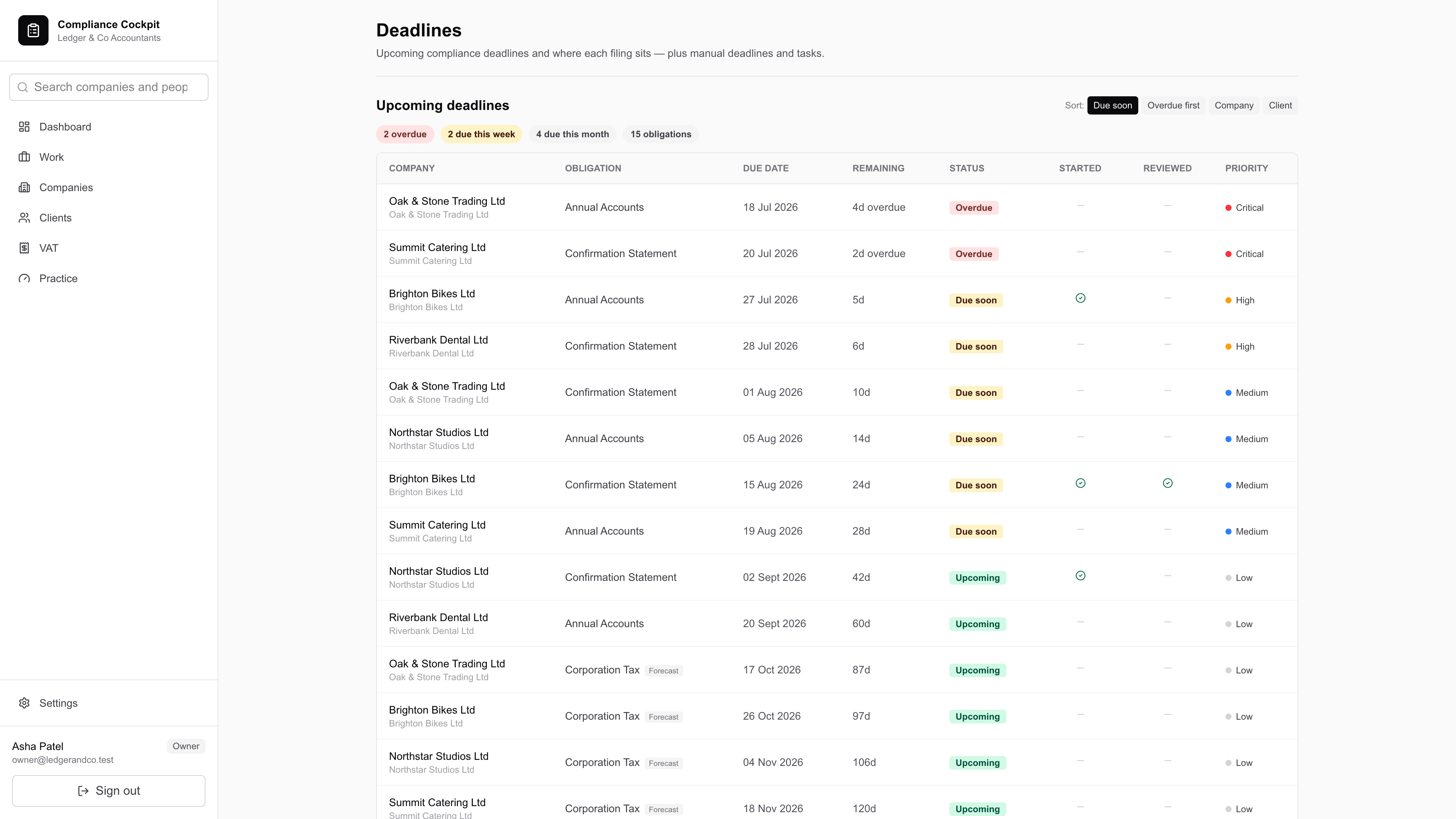
Every client, graded. Every deadline, in view.
A portfolio of obligations becomes a prioritised queue. Confirmation statements, accounts, VAT returns and corporate actions all carry their statutory deadline and the section of the Companies Act it comes from — so the date on the screen is one you can defend.
Deadlines are computed from the record rather than typed in, so they cannot drift from the company they belong to.
Pricing
One command centre. Every seat included.
Priced per practice by portfolio size, not per seat — so the whole team can work in one place without a conversation about licences every time someone joins.
One prevented missed filing, or one advisory report a client pays for, covers the month.
Questions
The ones accountants actually ask.
- Does it file with Companies House for me?
- No, and it cannot. Compliance Cockpit prepares the filing — the form, the data, the statutory deadline and the supporting documents — and a person at your practice submits it. There is no code path in the product that transmits a filing to Companies House. We think that is the right design for work your practice is answerable for.
- Where does the ownership data come from?
- Public Companies House filings: incorporation documents, returns of allotment, confirmation statements and the PSC register. The engine reconstructs the share register from them and shows which filing each figure came from, so you can verify it rather than take it on faith.
- What happens when the filings contradict each other?
- It stops. An over-allocated share class, a PSC band that does not match the reconstructed holding, a transfer with no matching allotment — each is flagged and blocks the workflow until somebody at your practice decides what is correct. It never silently picks one.
- Are the generated documents ready to sign?
- They are drafts for a qualified person to complete, check and sign. Minutes, resolutions and document packs are generated from your records and state plainly what the system does not know — that it was not present at the meeting, that the attendance list is taken from the register of directors, and that anything in square brackets must be completed. They are not legal advice.
- Can staff see every client in the practice?
- Only if you want them to. The client-visibility setting lets a practice restrict which staff see which clients, and the restriction is applied inside the database query rather than by hiding rows in the interface.
- Who can see our data?
- Your practice, and nobody else's. Every query is scoped to your practice, and cross-tenant isolation is covered by an automated attack suite that runs on every change. We hold no client money and we do not sell or share your data.
Built for trust. Powered by AI.
See it against your own portfolio. Half an hour, no slides, and we will show you the parts that do not work yet as well as the parts that do.